

A snapshot can preserve the view you are discussing in a review: the selected account, dates and displayed results. It is especially useful when you want a visual reference alongside a written observation. The saved image is a record of that view at capture time, rather than a page that will keep updating.
Before creating it, decide whether you need the Dashboard summary or the Calendar month. Their controls have separate scopes, so capturing one does not establish the selection in the other.
Choose the account and dates before capture
For a Dashboard snapshot, select the period and check the account in the PnL % card. Confirm the numbers you intend to preserve. The snapshot fixes that account and period when capture begins, rather than following a later change while the image is being prepared.
For a Calendar snapshot, check its own month and account mode. A month in All mode can answer a different question from a specific-account month. The Calendar reading guide explains the distinction between the visible detail tree and the included financial totals.
If your written review concerns one setup or a narrow subset, note that context separately. Do not assume that the exported image contains every filter or personal question you had in mind.
Use the controls in the wider interface
The Dashboard and Calendar snapshot controls are available from an interface width of 768 pixels. This is a width condition, not a rule tied to one operating system. A narrow phone layout may not show the control even though the journal itself remains usable.
When working across devices, use a sufficiently wide view for capture and check the resulting preview. Changing devices does not make an unsaved personal observation part of the image automatically.
Wait for the preview rather than assuming that the first click has already created a usable file. If image preparation fails, resolve the reported issue and try again before relying on the snapshot in a review.
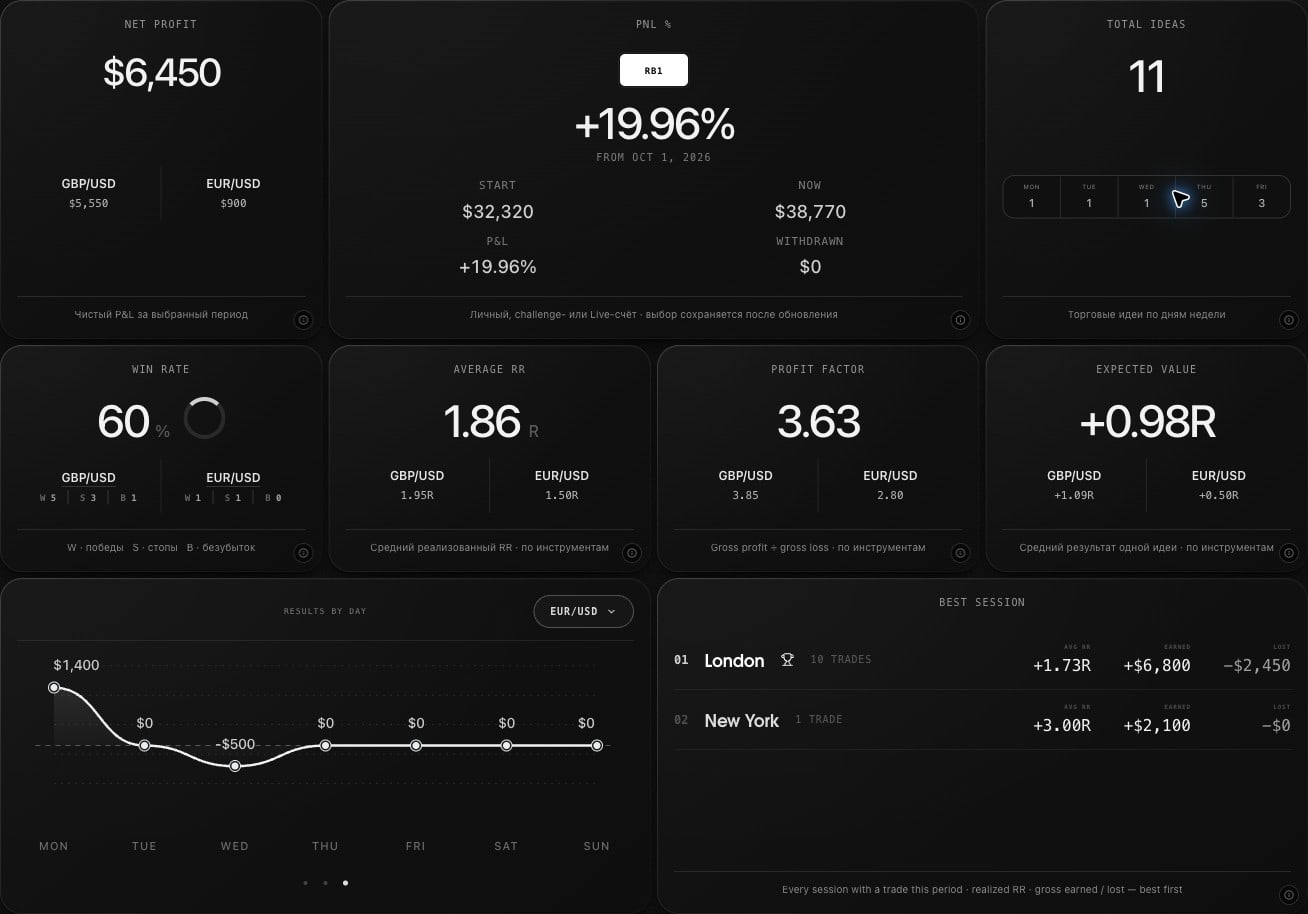
Read what the Dashboard image contains
The Dashboard snapshot is a portrait PNG with the selected period's information, metrics and a cumulative closed-P&L curve. It includes instrument and session summaries and uses the owner's configured branding.
The curve is accumulated closed trading P&L. It is not a broker equity curve with continuously changing floating results. Read its changes in relation to the completed records that supplied it.
Where a ranking has more entries than the image can list separately, an OTHER row can combine the remainder without dropping their amounts. Return to the original history when you need each record's detail.
Inspect the preview before copying or downloading
Check the account, date range, text and branding in the preview. Confirm that it is the view you intended, then use Copy or Download. Copy depends on browser clipboard support; Download is available when copying is unsupported.
The dialog provides Copy and Download, not a native operating-system Share action or a live public reporting page. Use the saved or copied PNG in the tools you choose.
Check what the image discloses before passing it on. A useful review summary may still contain balances, names or branding you prefer to keep private. Consider the intended audience as well as the accuracy of the figures.
Capture the Calendar separately
The Calendar snapshot preserves the selected month's visible summary in its chosen account mode. Controls and the open day popover are removed from the captured image. The resulting file therefore does not include every expanded execution detail you may have inspected before capture.
Save any important explanation in your own review text: the day, idea, account scope and the question raised by the result. A snapshot can orient that note while the actual record remains the source for the trade's comment, charts and financial inputs.
If you need reusable public access to particular material, read the separate guide to sharing reviews and controlling access. Sending a PNG is different from enabling a public link with its own access controls.
Keep the image's role clear
A downloaded snapshot is static. Later edits to the journal do not change a file you already saved or sent. Recreate the image when you need it to reflect corrected records, and distinguish the old version in your own files.
It is also not a backup of the journal's underlying records or an automatically maintained archive of every past view. For tabular work, use the appropriate CSV export and retain its scope and limitations.