

A trade becomes easier to review when its result sits beside the reason for taking it. Santrade brings those parts into one trading journal: the account involved, the recorded decision, supporting charts and the figures calculated from your history. You can start with a single plan or bring in supported MetaTrader reports.
Choose a specific question to start with. You might want to check how you followed an exit rule, compare a setup across accounts or keep a searchable collection of examples. The question determines which parts of the journal you need first.
A record can begin before a position opens
Journal holds plans, open positions and closed trades. A plan lets you save an intended scenario without assigning a closed result. An open record can describe an ongoing position; a closed record adds the outcome and known financial information.
A planned opportunity that never happened has no realized profit. Keeping it in the journal preserves the scenario, while closed-trade statistics remain based on completed records.
You supply the context: setup, entry reasons, session, comments, notes and available charts. Supported MT4/MT5 HTML imports bring facts from the report. They leave your personal explanation for you to add.
Accounts give the numbers their setting
Account Manager keeps different account histories separate. Personal, Prop and Crypto have distinct accounting purposes. Prop records can include challenge phases and Live history; deposits, withdrawals and payouts belong to the account's money history.
This helps you ask what a figure actually describes. Trading P&L, an added deposit, a prop allocation and a received payout represent different events. An account card records that context; it does not combine external wallets or execute transfers.
If you are setting up your first record, follow the account and first-trade walkthrough before adding a long history. Correct opening information gives later checks a clearer starting point.
Move from the overview to a particular question
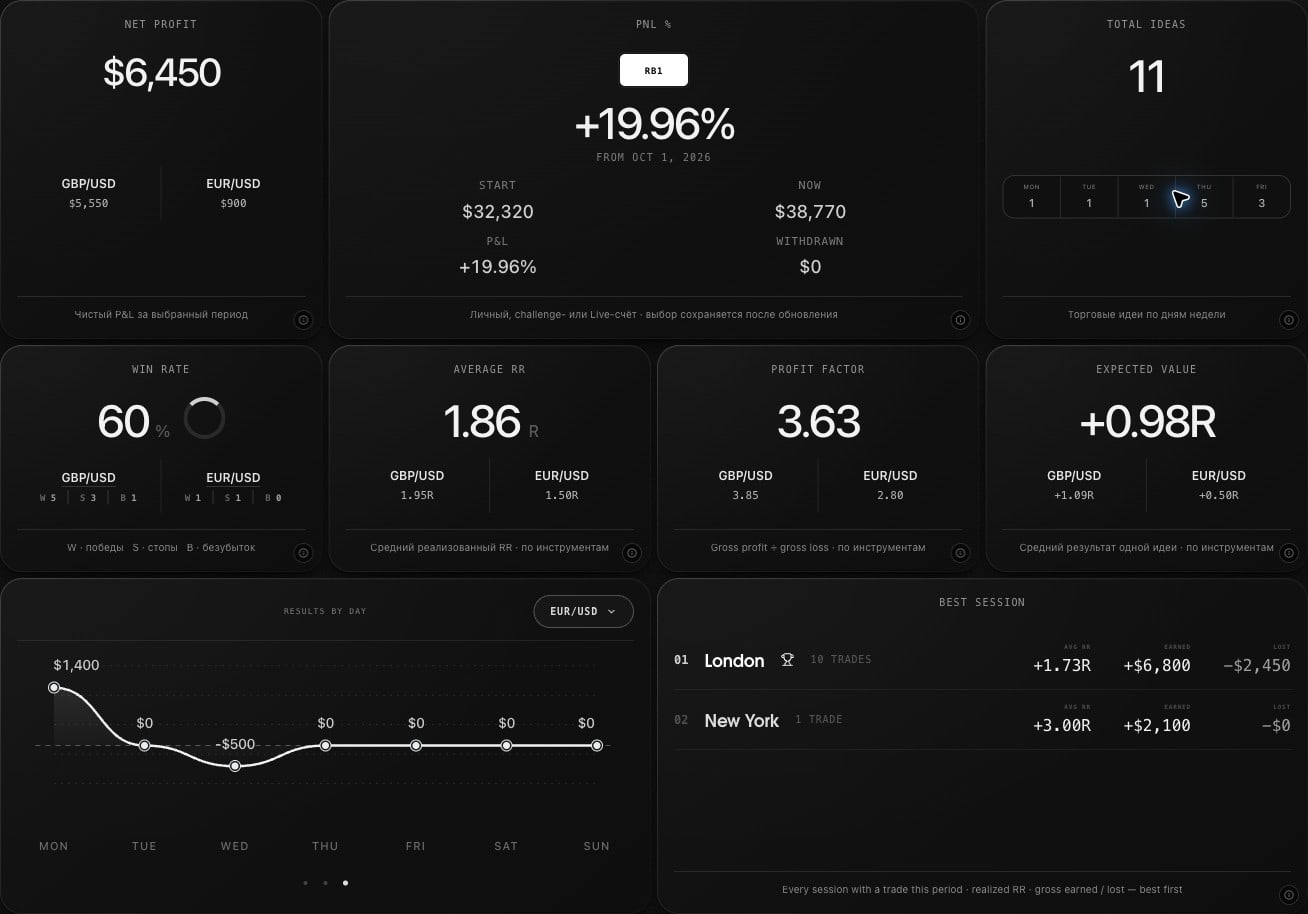
Dashboard summarizes recorded results for the chosen context. Calendar opens a date-based view of ideas and their executions. Deep Analytics lets you filter history and examine groups such as instruments, sessions, setups and entry reasons.
Check which records each figure covers. Distinguish totals for one account from results grouped by trading idea across accounts. Missing risk or incomplete labels can also limit what a metric or comparison can explain.
Start with questions your trading statistics can answer. A clear question such as which records lack an exit explanation usually gives you a more workable next step than browsing every available number.
Keep working material beside the history
Workspace stores documents for models, rules, checklists and other materials. In Notes, you can keep reusable observations and attach them to trades. Boards gives you a separate canvas for text, images and visual connections.
A model document describes the approach; a trade comment records what happened on one occasion. A reusable note can identify a recurring observation across trades whose individual circumstances differ.
For example, you could write a model, link a suitable real record, then review the saved explanation after closing. Your personal trading playbook can grow from those connections. The application does not decide whether the model is profitable from that document.
Match the journal to work you will actually do
Choose a small test: save one known record, attach a relevant image and return later to answer your original question. Check whether you can identify the account, distinguish the plan from the action and find the evidence you expected.
If important information is missing, record that gap. A detailed-looking page is less useful than a short record whose facts and uncertainties are clear. You can expand the routine once you know which information your review needs.
Santrade records and analyzes information. Signals, direct broker synchronization, automatic order execution and psychological diagnosis are outside this workflow. Its value to your process depends on the work you can perform with the history you save.
Continue on a device that suits the task
Records are associated with your signed-in account. You can organize work across a phone and computer, provided changes have saved successfully. A local editing draft remains tied to its device rather than automatically becoming the version available everywhere.
Use the cross-device workflow to choose a manageable handoff. For example, preserve a short comment where you are working, then open the saved record on a larger screen for a fuller review.