

After a session, prepare the source, check the account, inspect the preview, save and confirm the import result. Review the day's decisions later if you prefer. Keep track of these tasks separately so you can see which part is complete.
Santrade updates MetaTrader history through supported HTML or HTM reports. There is no scheduled background broker synchronization in this workflow. A later report supplies the newly available facts when you choose to upload it.
Prepare enough history for the update
Save a fresh account-history report from the intended terminal and account. Keep the relevant original entries as well as exits. Today's closed positions may have started earlier, so a report limited to today's exits can be incomplete.
Suppose a position opened on Monday has a partial exit on Tuesday and finishes on Wednesday. Wednesday's update still needs the earlier history that establishes the position. The final exit alone does not identify everything required.
Detailed preparation is covered separately in the MT5 import walkthrough and MT4 import walkthrough. The terminal choice affects how the source is read, even if both files have an HTML extension.
Return to the same account context
Open the import option in Journal and select the existing trading account corresponding to the report. Confirm the platform and file. Similar account names are worth checking carefully when you maintain several histories.
Read the period and account identity from the source. A familiar report filename is not proof that it contains the latest window or belongs to the selected account. Keep the file until you have confirmed the update.
If the account opening date or prop history does not fit the source, investigate the underlying record. Changing an accurate date or creating another account simply to make an error disappear would alter the meaning of the history.
Inspect new records, matches and issues
Overlapping reports are supported when they contain suitable complete history. New records can be added while unchanged matching records are skipped. Your existing manual additions remain attached to the records that survive that update.
A changed imported position is a different case. Read its discrepancy and resolve the source question before saving. The repeat-import explanation covers the distinction between a match and a conflict.
Also inspect cash operations and available balance checks. The trading result and a deposit describe different events. A larger balance after a session may reflect a transfer as well as the closed trading P&L.
Complete saving and verify what changed
Proceed when the preview allows import. Wait for the result, then read the numbers of created and matching records. If there are still open positions, note what the result says about their cash movements and completion.
An unfinished MT5 position can have actual realized cash events before it becomes a closed idea. Its completed journal record appears after full closure and an updated complete report. Floating P&L is not added as though it had already been realized.
Open at least one known new record and compare its account, date and result with the source. Where an operation affects the balance, check that part of the account history too.
Add one useful piece of personal context
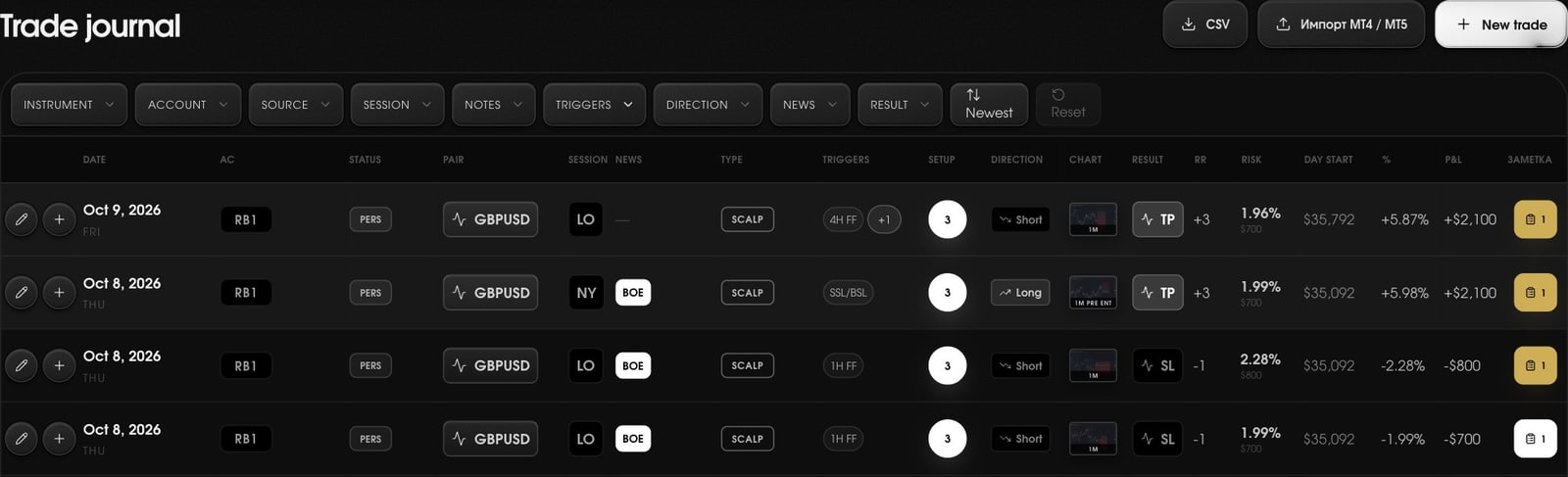
Choose the information the report could not provide: a known risk amount, model, reason for entry or comment on an action. Keep uncertain values distinct from zero and label any recollection added after the event.
For a particular closed trade, the immediate recording step can preserve the available explanation and image. The whole-session import still needs its own source and preview checks.
A sample update note could read: "New execution facts saved; the exit comment and available screenshot are attached. The reason for the earlier risk change remains unknown."
Leave a clear handoff to the later review
Keep a short completion checklist:
- The source account and reporting window have been checked.
- The import result is confirmed and a known case has been reopened.
- Important missing context and the next review question are named.
If the import was saved but the view did not refresh, use the displayed recovery or refresh route and inspect the history. A loading problem is different from proof that the transaction never happened.
You can return later to compare the saved decisions with their plans. Ending the update with a clear account of what was saved makes that next task easier to define, without requiring an immediate conclusion about the quality of the whole session.