

Consistent instrument and session labels help you compare records. If one symbol has several meanings, or a session definition changes halfway through a month, the comparison can combine records that do not belong together. Set up the names you will use before recording more entries.
Choose instruments in the trade form and configure custom session labels in Settings. Consistent labels make your records easier to compare.
Pin the instruments you use
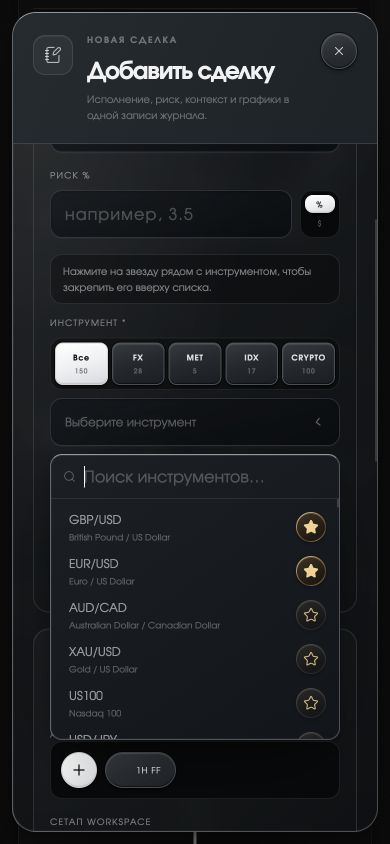
Open New Trade and expand the instrument field. The full catalogue is available by default. Search for a symbol or choose one of the market categories.
Instruments that appear in at least two saved trades receive a gold star automatically. Favorites appear at the top, ordered by the number of saved trades. A manually removed star stays off as more trades are saved.
If you are creating the account and its first record at the same time, follow the first-account workflow. Keep the account identity separate from the instrument identity so that the symbol does not become a substitute for knowing where the execution occurred.
Add a custom symbol when the catalogue needs one
Choose a market category, search for the symbol, and use the add option if it is missing. Use a short, recognizable symbol from your trading history so you can find it again.
Before creating another symbol, search the existing list. If the item is already present, a second spelling can split later instrument comparisons. Where two instruments truly differ, preserve that distinction rather than merging them for convenience.
Click the gold star to pin or unpin any instrument. Your choice is saved in your profile. There is no limit on the number of favorites.
Give each session a stable meaning
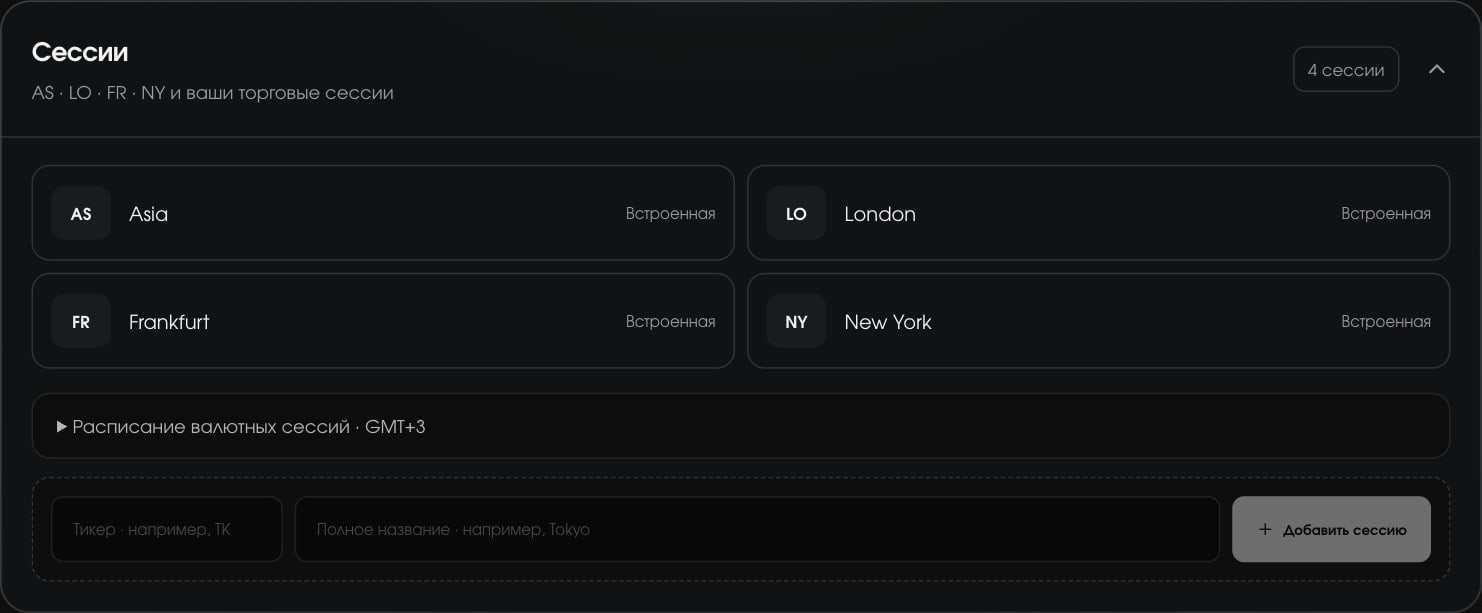
Santrade includes AS, LO, FR and NY session labels. You can add custom sessions with a code and a name, up to 30 custom entries. Define the name so you can apply it consistently during recording and understand it at review time.
For example, a custom label could describe your own defined review window. Write down the clock and timezone that define it. The code is only a label; its meaning needs to come from a rule you can follow. Avoid using the same code for two different windows in the same historical comparison.
The session is selected by the person filling in the trade. The journal does not automatically determine the correct session from an imported broker timestamp. Check the label after import and during manual entry.
Read the timezone on the schedule reference
The settings include a winter and summer session reference stated in GMT+3. Read that timezone as part of the reference. It is not a universal live schedule for every instrument, nor does the profile timezone turn it into an automatically converted timetable for any market.
If your own session definition uses another clock, state it explicitly in your reference material. When daylight-saving changes matter to that definition, verify how you will handle the affected dates. A familiar abbreviation alone does not tell a future reader which clock or seasonal convention you used.
Before analysing results by session, check whether the definition stayed the same across the sample. If it changed, record when and how. A labelling change can otherwise be mistaken for a change in trading.
Test the options in one saved record
Open a record and check that the intended instrument and session are available. Choose them, save, then reopen the entry. Confirm that the label describes this execution rather than merely being the option you used most recently.
You can also inspect the relevant filter or analytical view to see how the saved labels appear. Start with a known record so that you can recognize whether the result is expected. This small check is easier to interpret than configuring a large catalogue and discovering inconsistencies after a month of entries.
- Confirm the symbol and its meaning against the source record.
- Confirm the session code against your written time definition.
- Confirm that the saved record retains the choices you intended.
Handle old gaps as a separate task
New catalogue entries do not establish which labels belonged to old trades. When you find records with missing details, fill only what you can support from the source or from a clearly labelled later account.
If an older symbol or session was used inconsistently, define the problem before changing records. Write down the meaning you will use for the next entries and identify which older records need checking.