

A setup name and an entry reason answer different questions. The setup identifies the model you intended to trade. Entry reasons describe the conditions you recorded for this particular decision. Giving them separate roles makes it possible to review a model without assuming that every execution had the same supporting conditions.
The distinction begins with your definitions. Two labels with different names but identical meanings will create confusion later. Start with a short explanation of what belongs in each part of your journal.
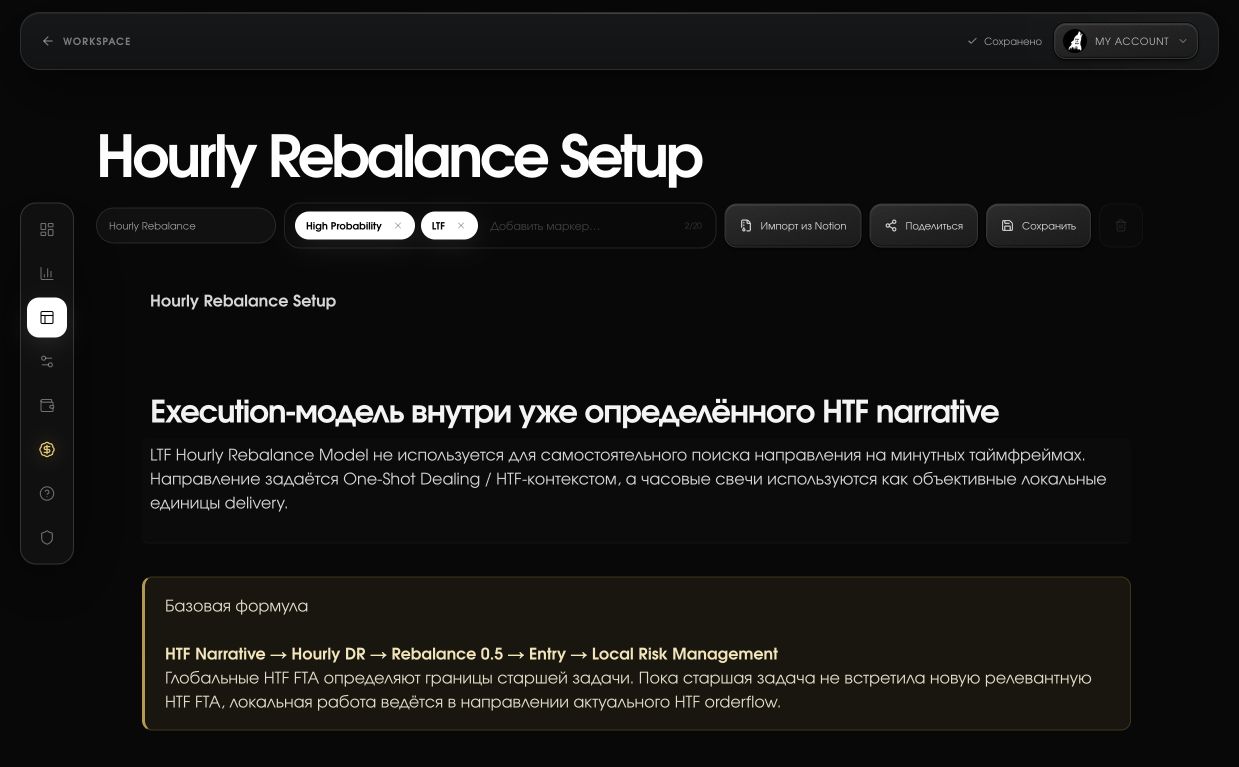
Describe the repeatable model in Workspace
A setup can contain the model's conditions, examples and limitations. In Santrade, the trade's Setup can link to a Workspace document from a category enabled for trade linking. You can open that reference to check the definition when reviewing an entry.
The document should explain what you mean by the setup. For example, a model called “Return to a marked area” could define how you identify that area and what would make the model inapplicable.
Keep the model usable independently of one profitable chart. The process for documenting a trading model can help you give the definition enough context for later use.
Name the conditions of this entry
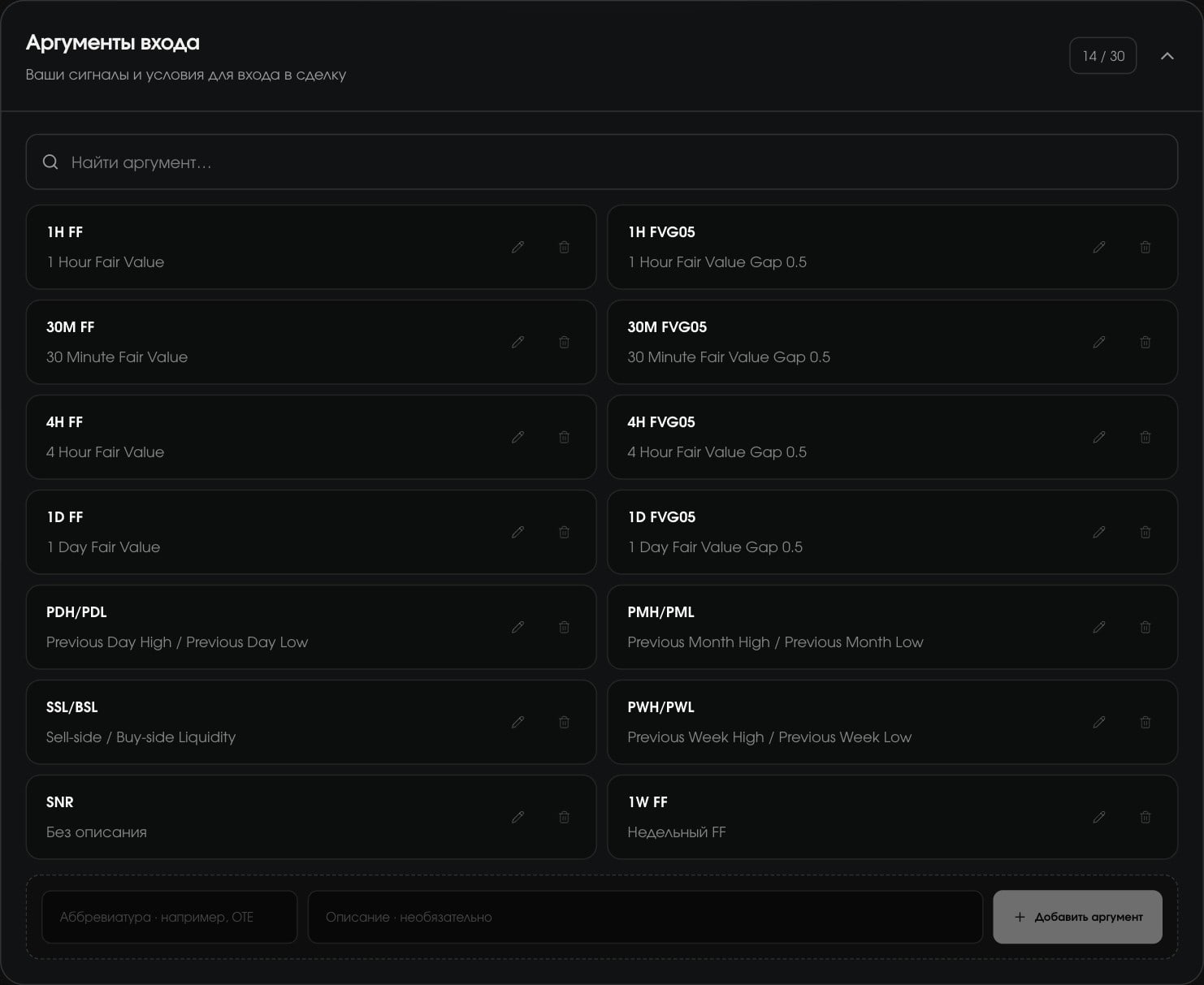
The entry reasons, shown as Triggers in relevant parts of Santrade, are selected labels. Their catalogue includes names and descriptions. You can manage it in Settings and create a new reason from the trade form. A trade can have up to ten selected reasons.
Use each description to make the label testable in your own records. “Checklist complete” should refer to a defined checklist. “Context confirmed” needs an explanation of what you were checking. A broad word such as “confidence” can be difficult to apply consistently unless you state what you mean by it.
Select the conditions supported by the information you have. If you are reviewing an old entry with no timely evidence for a particular reason, leave the uncertainty visible rather than filling the maximum number of available labels.
Try the distinction on two sample records
Suppose two entries refer to the same “Return to a marked area” model. The first has the recorded reasons “Checklist complete” and “Context reviewed.” The second has only “Context reviewed,” with a comment saying the checklist state was not saved.
The setup link says both records were associated with the same model. The reason labels preserve a difference between the available records. They do not establish that the first trade was better, or that an unrecorded condition was absent during the second trade.
Use the comment for circumstances that are too specific to become a reusable reason. “Checklist finished after entry; recorded during the evening review” is an account of one event. Turning that whole sentence into a catalogue label would make the catalogue harder to use.
Save a vocabulary you can apply again
Review the existing catalogue before adding a near-duplicate. Decide whether “Context checked” and “Context reviewed” have a real difference. If they mean the same thing to you, use one definition consistently for future entries.
Then open a trade and check that the intended Workspace document and reason labels are available in their respective fields. A document available for trade linking may be ineligible in a particular analytical view. Check the setup options in the view you intend to use.
A trading playbook can organize the model material. The catalogue keeps the shorter entry conditions available during recording. Keeping those roles clear reduces the need to rewrite a full model in every trade comment.
Ask different questions in Deep Analytics
Setup and trigger filters and breakdowns serve different questions. You might compare your recorded setups, then look at which reasons occur within a chosen sample. For entry-reason analysis, remember that several reasons can belong to one idea, so reason groups can overlap.
Avoid adding overlapping rows as if each contained a separate set of trades. Also check whether you are looking at an idea or an individual account execution. An idea spanning accounts is represented once for setup analysis; it is not copied into every different setup label attached to its executions.
The product does not recognize the chart pattern and assign these labels automatically. Keep the definitions consistent and leave conditions unknown where you lack the evidence to select them.
Keep model categories apart from conduct assessment
Workspace categories organize materials and control relevant linking options. Notes categories have a separate role in assessing rule compliance. A setup category is not a compliance verdict, and a reason label does not automatically classify the trade as following or breaking a rule.
Before saving a new entry, read the model link, reasons and comment together. Check that they identify the model you associated with the idea, the conditions you can confirm and the circumstances that need explanation.