

A trade record can begin before there is a position to report. It may hold an idea you are waiting to execute, an open position you are managing, or a confirmed result. Keeping those stages distinct lets you return to the original decision without giving a possible trade the status of an actual outcome.
In Santrade, a blank Result appears as PLAN. Processing represents an open position. TP, SL and BE are closed results. Choose the stage that matches the facts you can confirm, then use the rest of the record to explain what happened.
Save the plan before entry
For a plan, record the instrument, date and relevant context. Choose the setup and entry reasons you can support, and describe the condition that would make the idea actionable. A chart can show the situation you were considering. Leave the result blank while no execution exists.
Suppose your plan requires a checklist to be completed before an entry. A useful sentence is, “Waiting for the final checklist item; no entry taken.” It distinguishes a pending decision from an actual position. If the condition never occurs, the record can remain a plan. A later price move does not supply a real fill or a realized profit.
For more elaborate conditional scenarios, a plan on a trading board can hold supporting material. Keep enough context in the trade record to understand its own status when you revisit it.
Mark the position when execution has happened
Once there is an actual open position, use Processing and check that the account and date describe that execution. Add the risk with its correct unit and any confirmed details available at this stage. Separate an action already taken from an action you are still considering.
A sample update might read, “Position opened after the checklist was completed. Original management condition unchanged.” If your intention changes, add a clearly labelled later update. That gives your future review a sequence to read rather than one sentence that appears to have been true throughout.
Processing is a journal status. It does not connect the record to a broker's live position or provide a continuously updated floating P&L. For a manually maintained entry, update the record when the actual position changes.
Preserve the earlier plan when adding an update
The editor updates the current fields. It does not provide a built-in archive of every previous plan version or separate native columns for planned and actual actions. Preserve the relevant original wording yourself before replacing it with a conclusion.
You can keep short labels such as “Before entry” and “After close” in your own description, or distinguish images with their captions. These are writing choices inside the available fields. A later screenshot should say that it was captured later. The method for comparing plan and execution depends on that distinction.
Confirm a full close before choosing the result
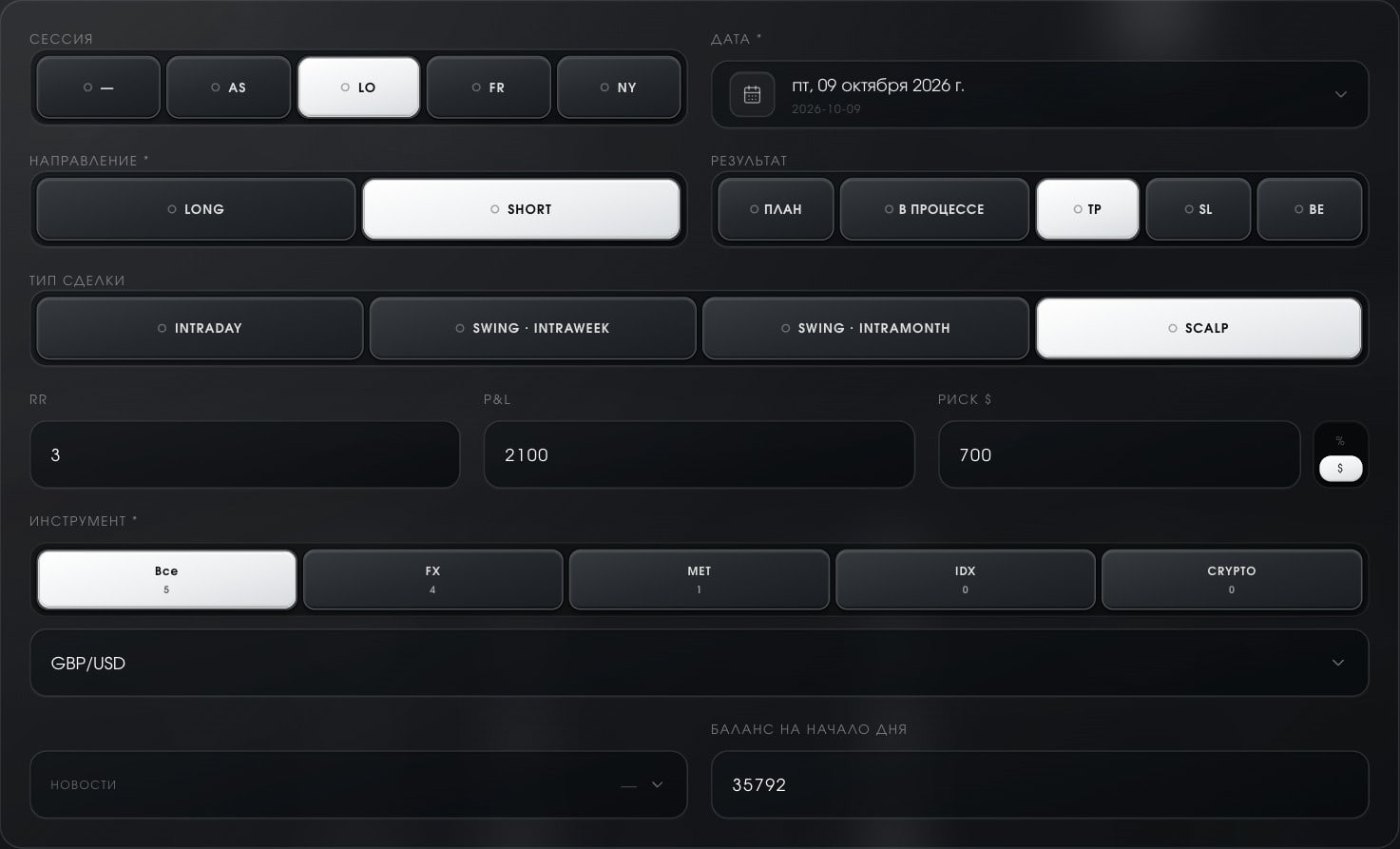
After the position is fully closed, record TP, SL or BE as appropriate and enter the factual monetary result. Check the risk, account and Day Start balance used for the record. Attach the image or short explanation needed to understand any important management decision.
For imported MT5 positions, use an updated report containing the complete position history. A partial exit can generate money while the position remains open. The partial-close timeline explains why cash can appear on an earlier day than the final closed result.
A close is also a good point to distinguish your process assessment from the money made or lost. A profitable exit does not establish that every condition was followed. Record that assessment only when the rule and the action are both known.
Read the statistics for the correct stage
PLAN and Processing remain visible in the Journal and its result filtering. They do not contribute closed P&L, Win Rate or Average RR, or the calendar's closed-trade totals. A list containing several plans is therefore answering a different question from a list of completed trades.
An unfinished imported MT5 position can already have real fees or partial-exit cash events. Those recorded cash flows belong to account history even while the idea has no final closed outcome. They are not a live estimate of the remaining position.
Finish with a record you can revisit
Before saving, read the status and the comment together. “Waiting for entry” beside TP suggests that the text has not caught up with the result. “Position still open” beside Processing is consistent, but may need an update about a partial exit or a changed management condition.
Use a short after-close routine to complete the facts when they become available. On reopening the record, check that you can distinguish the plan, the position you held and the final closed result.