

A balance can rise because you made a profit, because you deposited money, or through a combination of both. Those changes have different meanings. A percentage calculated from the balance movement therefore need not match a percentage intended to describe trading performance.
Santrade also uses different bases for an individual trade, the Dashboard period and the Calendar's linked return. Before reconciling two percentages, name the quantity and scope each one is measuring.
Separate trading cash from transfers
P&L describes trading results. Deposits and withdrawals describe money entering or leaving the account. They affect the ledger, but a deposit does not become a profitable trade and a withdrawal is not a trading loss.
Suppose an account starts at $10,000. Two +$100 closed results contribute $200 trading profit. Add a $2,000 deposit during the period and the closing balance becomes $12,200. The $2,200 balance increase is not all trading profit.
Use Money Log to check the transfers and their dates. Avoid adjusting a correct P&L to force it to explain the full cash movement.
Identify the three percentage bases
An individual trade's return is its P&L divided by its own Day Start, multiplied by 100. It answers a question about that record. The opening-day reference belongs to its account and date.
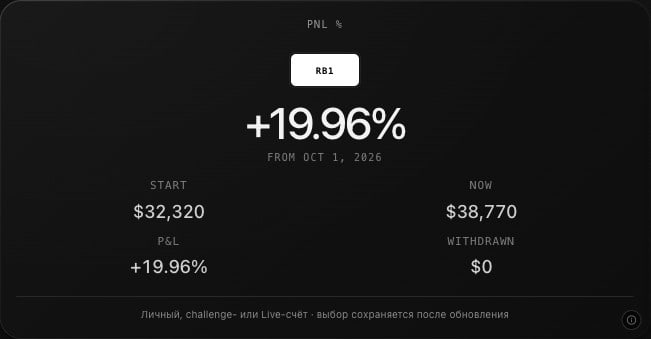
Dashboard PnL % uses the selected account's closed P&L for the period divided by START, when that opening base is positive. NOW reflects the ledger closing value at the selected period's end, including recorded flows. On an old period, NOW is not a live balance read from today.
Calendar links daily return factors. Its available account history supplies the eligible opening capital for each relevant day, including eligible accounts that did not trade that day. It does not simply divide all period P&L by the final cash balance.
Work through a two-day example
Start a hypothetical Personal account at $10,000. On the first day it makes +$100. At the second day's opening, deposit $2,000, making that day's opening base $12,100. A second +$100 result leaves $12,200 at the end.
The balance change is ($12,200 - $10,000) / $10,000 × 100 = 22%. Dashboard PnL for the period is $200 / $10,000 × 100 = 2%. Each statement has a clear basis: total cash movement in the first case, and closed trading P&L against START in the second.
For these two days, Calendar links 1 + 100 / 10,000 with 1 + 100 / 12,100. Subtracting one from their product and multiplying by 100 gives approximately 1.8347%. The deposit changes the second day's capital without being counted as its trading P&L.
Check which accounts and phases belong
The Calendar's account mode determines which history supplies its results and capital. In All mode, the main financial totals include Personal and Live records. Explicit account or phase modes can answer a different question. Read the mode before comparing it with a Dashboard account selection.
An account without trading activity on a particular day can still contribute eligible opening capital to the Calendar calculation when its history is available. A total based only on the accounts that traded may therefore use a different denominator.
For a newly funded cash account whose period START is zero, the Dashboard can use the opening base on the first deposit date within the period. Inspect that funding date instead of assuming every account was funded at the period's beginning.
Follow the dates of actual cash events
Imported MT5 positions can have fees and partial-exit cash on dates before the final close. The ledger follows those cash dates, while closed-trade performance has its own completed-record dates. That distinction can affect what was available at a day's opening.
A manual Day Start reference is not itself a deposit, and a later snapshot does not reset the running cash ledger. When a base is missing or not positive, a dependent percentage can be unavailable. It should not be supplied by inventing a funding event.
The Calendar review guide helps check a month and its individual days. Read a selected day in the same mode you used for the overall comparison.
Reconcile in a fixed order
First match the account scope and date boundaries. Then compare monetary P&L, deposits and withdrawals. Finally identify the opening bases and percentage method. This order makes a difference easier to explain than starting by changing whichever percentage looks unfamiliar.
The wider balance reconciliation check covers comparison with a terminal report. The figures may legitimately answer different questions. Keep their names and bases in your review rather than demanding one universal return percentage from every screen.