

When Santrade and a MetaTrader report show different balances, begin by naming the number on each side. A closing balance, floating equity, a trade's Day Start and a period P&L are different quantities. Comparing the same account, date and measure gives the discrepancy a useful starting point.
Keep the source report and your account history available. The aim is to identify a missing event or mistaken assumption. Adding a convenient correction deposit would create another event instead of explaining the existing difference.
Align the account, date and coverage
Check the trading account and terminal identity first. Confirm the report window and whether the journal view covers the same history. A correct figure from one period can differ from a correct figure at another date.
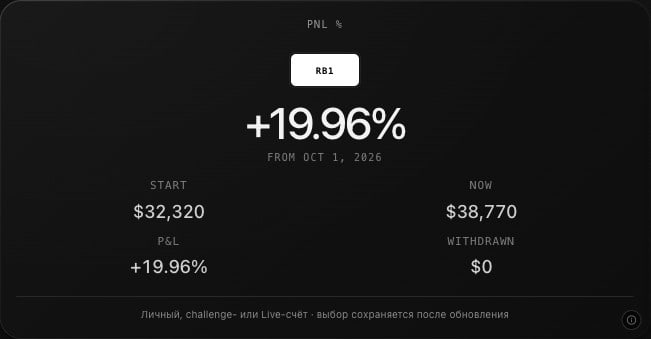
Dashboard's NOW is the ledger balance at the end of the selected period. It does not always mean the terminal balance at this moment. Floating profit in the terminal's equity is also different from the journal's realized money history.
For MT5, make sure the report includes the original entries and relevant exits of its positions. An incomplete reporting window can leave the check without the events it needs to reconstruct the account history.
Inspect opening money and cash operations
Verify the account opening date and initial balance or allocation. For a personal account, determine whether opening money is already represented by an initial deposit. Counting the same funding twice would change the result without a second real transfer.
Consider a simplified example with $10,000 of your own money at opening, a later $1,000 deposit, +$200 of net closed trading P&L and a $300 withdrawal. With no other events, the ending balance is $10,900. The increase of $900 includes funding movements; the trading result remains +$200.
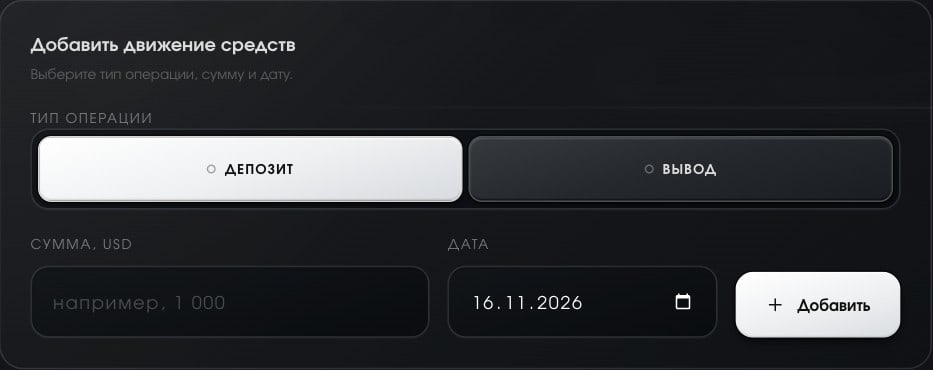
The Money Log guide keeps those operations separate. Check the date and source of each transfer rather than using trade P&L as a substitute for money moving into or out of the account.
Use only the checks that the report supports
Where an MT5 report contains suitable Balance information, the importer can derive an opening basis and check the ending money. Read the preview's balance review and any required confirmation alongside the actual source.
An MT4 summary Balance alone does not establish the opening balance of its selected period. If the information is missing, identify another reliable basis. An unavailable independent check cannot be manufactured by choosing a number that produces agreement.
Supported USD, UST and USDT reports use one-to-one USD accounting. This does not establish an exchange rate for an unrelated currency. First verify that you are using a supported source rather than adjusting the account to imitate currency conversion.
Follow costs and partial exits through their dates
Check whether commissions, swaps and fees are already included in the imported net money. Deducting them again would alter a correct result. A status such as BE can also have a nonzero cash amount because of recorded costs.
An MT5 position can realize money over several days before full closure. The ledger uses its dated cash events, while the completed journal record has its closing date. The partial-exit example shows why those daily views need not match line for line.
Read execution details before changing a date to make Calendar resemble the report. Calendar does not show each commission or partial cash event as a separate closed trade.
Check Day Start and historical prop context
A positive Day Start can be saved as the basis for calculations of a particular trade. Entering it is not a deposit. A later manual balance snapshot also does not erase intervening cash operations from the current ledger.
The Day Start guide explains that distinction. Correcting a mistaken base requires evidence for the relevant date, rather than replacing it with today's known balance.
For Prop, inspect historical phases and their dates. Allocation, full trade P&L, gross payout and the trader's received share are separate amounts. Applying profit split to every trade would change the meaning of the history before reconciliation begins.
Isolate one remaining discrepancy
After each verified correction, repeat the same comparison at the same dates. If you change the account, period and opening assumption together, it becomes difficult to tell which action explained the difference.
A sample reconciliation note could read: "Account and dates match; the opening deposit was duplicated in the journal. The source confirms one deposit, so the duplicate record is the point to correct."
If the problem involves an incorrect import, read the deletion and recovery limits before removing anything. Keep the unresolved amount and source question explicit.