

Once the import is saved, add the context the report could not provide: intended risk, your model, entry reasons, observations and useful images. Choose those additions according to the question you want to review.
Work from what you can support. A complete-looking row is not a reason to invent an old motive or substitute a familiar risk figure. You can keep accurate execution facts alongside an honest gap in the personal explanation.
Check the imported facts first
Open a known record and compare its account, date, instrument, direction and net money with the source. Read any relevant costs or partial executions before deciding that a number needs correction.
Keep imported financial facts separate from the personal interpretation you add. A later judgment that an entry was poorly planned does not change the reported cash result. Likewise, a favorable outcome does not establish that every part of the plan was followed.
The general recording standard can help you choose the details you need for a completed record after import.
Add labels with a stable meaning
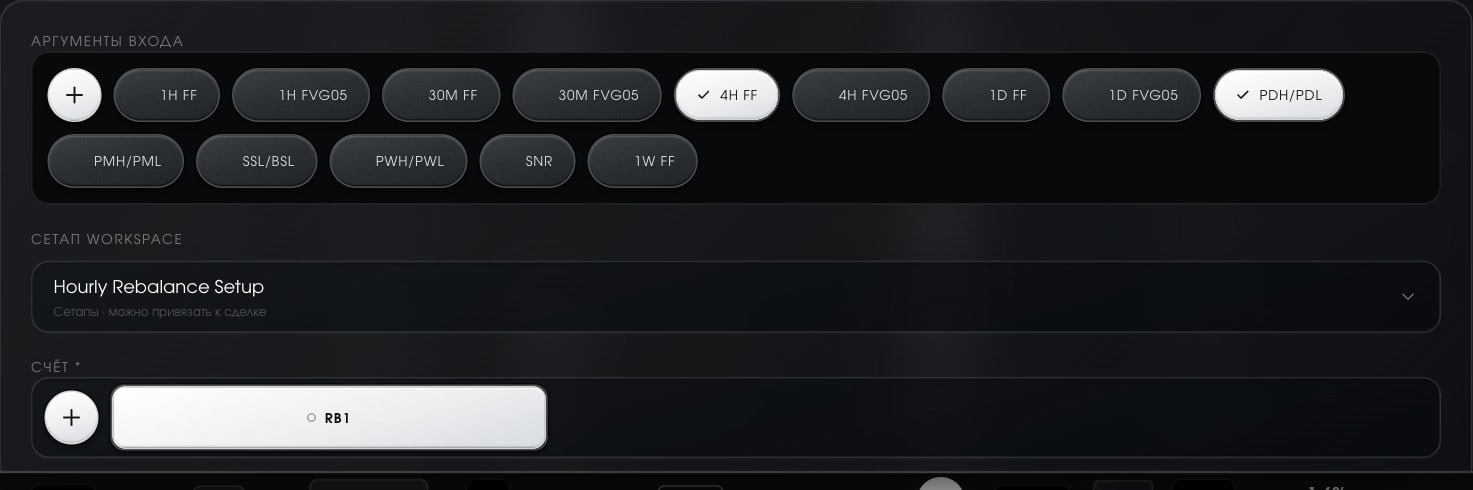
Record the session, trading style, setup and entry reasons where you have a basis for them. News labels and Notes can provide further context. The importer does not infer these choices from the duration or appearance of the trade.
Use definitions that you can apply to the next comparable case. A setup should identify the model; individual entry reasons describe the conditions you marked for that decision. A label chosen only because the trade made money is difficult to interpret later.
For example, you might find a saved plan naming the model but no contemporary record of the session label. Add the supported model and leave the other point for checking. It is reasonable for different fields to have different levels of evidence.
Establish the risk and RR basis
Add intended risk only where you know it. Check whether the value is a cash amount or a percentage and whether the relevant Day Start balance supports any required conversion. Changing a unit without reviewing the number can change its meaning.
Suppose the known cash risk was $100 and the realized result was +$150. The signed result relative to risk is +1.5R. The calculation requires known risk, which the cash result alone does not establish.
Some R-based metrics remain unavailable when required data is missing. The remedy is to investigate the available source or improve future recording. Filling unknown risk with zero or a guessed usual amount would change the data rather than establish it.
Explain the action in its own record
Use the trade description for circumstances specific to that case. A concise sample comment is: "The planned entry condition is preserved in the earlier note. The exit explanation was added during this review; I have no image showing that moment."
That wording distinguishes a saved source from a later addition. The comment-writing guide develops a similar order: condition, action, evidence and an open question. These are parts of your explanation, not extra automatic fields.
Reusable Notes can hold a repeated observation and be attached to suitable trades, with up to four links per record. Their text is shared. Keep a one-off event's details in the individual comment rather than rewriting the common note as though all its cases had those circumstances.
A Notes category can assess compliance, violation or no assessment. Apply that meaning through a known rule and action. An unassessed record is not automatically compliant, and the sign of P&L does not establish why the trade was taken.
Attach images that answer the chosen question
Pick the view that helps inspect the action: available context before entry, a relevant decision moment or a clearly identified later review. Give the image a caption describing when it was made and why it is included.
Use the screenshot guide to decide what is worth preserving. A later chart can be useful, but it contains information that may not have been available at the time of the decision.
Santrade does not recover an unsaved earlier chart or automatically recognize the pattern you intended. If a key image is absent, record the gap and decide which source to save in the next suitable case.
Choose the next gap deliberately
Deep Analytics can identify records without several kinds of labels, including session, setup, entry reason, style and Notes. Choose the gap that matters to your question and review a manageable set using one consistent criterion.
The missing-details workflow helps turn that into a defined task. A missing field describes the available record; it is not by itself an assessment of the person or the decision.
Finish by reopening a completed case and checking whether its facts, added context and uncertainties are distinguishable. You can then continue with new records under the same standard, while older gaps remain visible and specific.