

Start with the execution history you can support, even if personal context is missing from many older trades. Bring that history into the journal, verify its financial basis and choose a date for more detailed decision records. Leave older gaps visible instead of reconstructing explanations you cannot verify.
Choose a manageable starting section of history. The boundary is a way to organize the transfer and review; it should preserve the complete positions and account information needed to interpret the records inside it.

Separate the dates that serve different purposes
Write down the real account opening date, the period available in your report and the date from which you will keep more detailed personal context. These dates may differ. A chosen review window does not change when the underlying account or position began.
Suppose you have reliable execution reports and only occasional old comments. You could retain the reported facts for the selected window while marking which decisions have contemporary context. New records can follow your fuller standard from today.
Mark the source of each addition. An imported cash result comes from the report; a motive recalled later is a later recollection. A reader should be able to distinguish those sources even when both appear in the same record.
Prepare the account before loading the history
Check the account type, opening information and initial balance or allocation. If a prop account moved through phases, preserve the historical dates so earlier trades keep the context that applied to them.
Check opening funding before adding deposits. The same initial money must not become two separate recorded inflows. If the balance basis is uncertain, locate the source first and leave a specific question rather than selecting a convenient amount.
The journal-versus-MetaTrader balance check covers common accounting distinctions. A correct-looking final total alone does not establish that every opening assumption is right.
Use supported files with complete positions
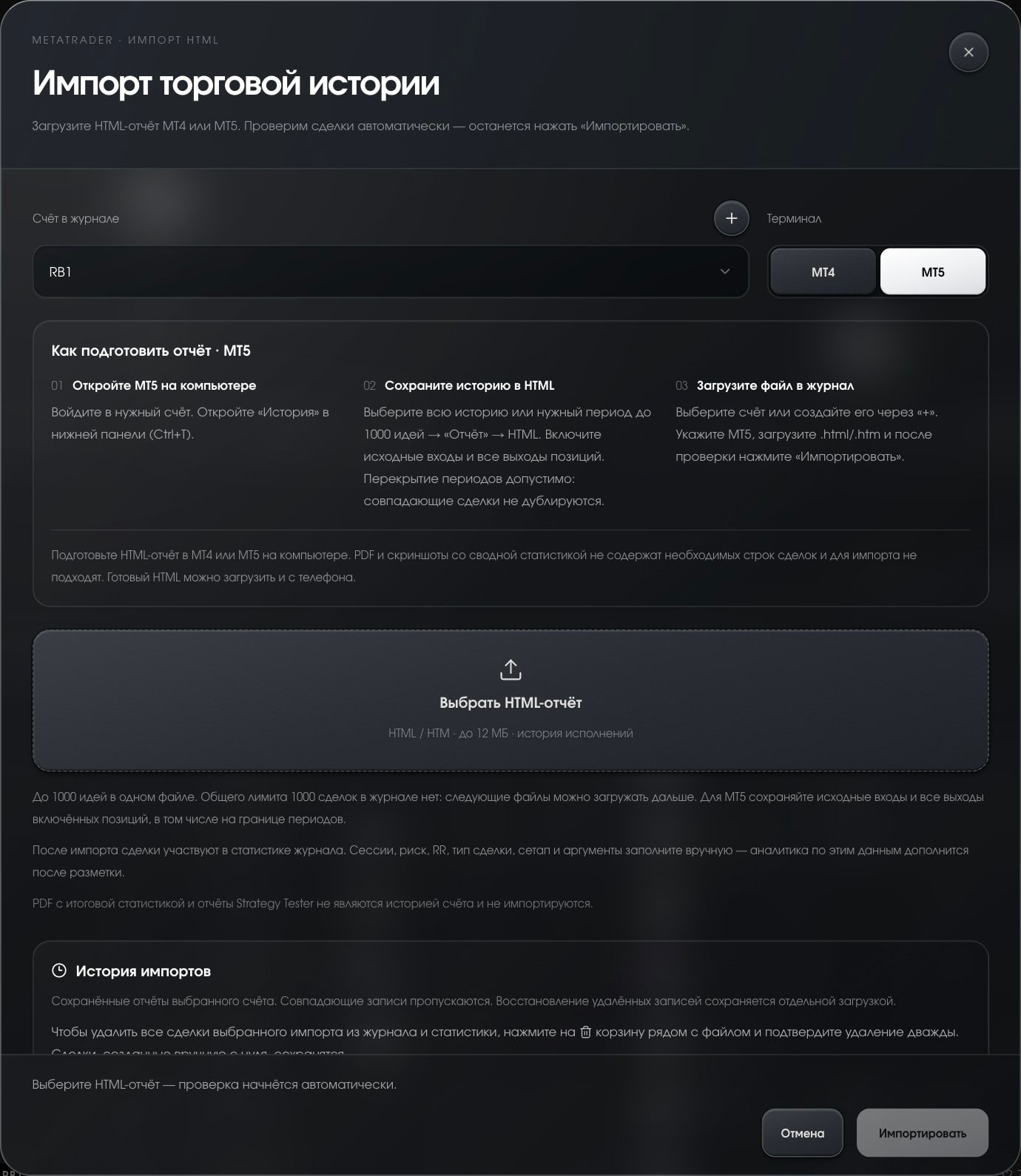
Santrade imports supported MT4/MT5 HTML or HTM reports. Detailed export steps belong to the separate MetaTrader 5 guide and MetaTrader 4 guide. A spreadsheet or arbitrary CSV file is a different source and has no universal import route here.
For MT5, include the original entries and all exits needed for the positions in the report. A calendar boundary that cuts through a position can leave an incomplete history. Divide a large transfer into suitable periods while retaining complete position information.
The limits apply per upload: a file can be up to 12 MB and contain up to 1,000 ideas. The journal itself is not capped at 1,000 trades. Use the preview and its checks to determine whether a particular file is suitable.
Verify the transfer in a small, readable pass
Choose the correct trading account and terminal, then inspect the preview before saving. Read warnings and distinguish new records from matches. After a successful import, compare a few known cases with the source and check the money history.
Overlapping supported reports can be used to update history. The repeat-import guide explains matches and conflicts. A conflict calls for checking the discrepancy; it is not an instruction to create another account just to force the file through.
Keep the original report while you investigate any uncertain case. Deleting older losses to obtain a cleaner starting chart would remove facts needed for later review. A new recording procedure can begin without changing those historical outcomes.
Work through the context you can verify
Start with information you can verify: the instrument, account, result and any saved model or chart. For a known setup, use the same definition across suitable records. Leave an uncertain label blank rather than assigning it from the eventual profit.
A sample annotation could read: "Result checked against the report. Setup identified from a saved plan. Reason for changing the exit is unknown." That short record is more specific than a complete-looking story written from the final chart alone.
Deep Analytics has options for finding records without several kinds of labels. Use the missing-details workflow to work through a chosen question. Missing labels identify a data task; they do not automatically establish poor trading.
Begin the current routine alongside the old history
Keep new decision context as events occur, even while older material remains unfinished. You can then review a clearly bounded set of records using the same standard instead of delaying the whole journal until every past trade has been described.
Record what has been checked and what remains open in a short Workspace document. Include the period, account and any missing sources. At the next pass, start from that checklist so you can see which parts of the transfer are complete.